A job search that stays human
Howdy! Job hunting right now is exhausting. A lot of what's posted isn't real, every application wants its own resume, and it's easy to lose track of who wrote back. When I started my own search, I built a Claude skill to do that work with me.
This is that skill, cleaned up so anyone can use it. It finds jobs that are actually open, tells you honestly where you fit, and writes a cover letter and resume for each one from your own stories. It never makes up a number, and it never sends anything for you. Setup takes about 15 minutes, and you won't touch any code.
Free. Works on a Mac or a Windows PC with the Claude desktop app on a Pro plan or higher.
Why I built this
If you've looked for a job this year, you know how hard it is. There are fewer openings and more people after each one, and a lot of what's posted isn't real.
It's rough on the hiring side too. Recruiting teams are digging through piles of resumes that AI wrote and nobody read, and it's made them wary of everyone. A real application now has to work harder just to be believed. So this skill keeps you in every step. It won't submit anything for you or make up a number, and every cover letter starts from a story you told it. Everything lives in one folder on your computer, not on a platform that does better when you apply more.
A couple of people I care about are looking right now too, so I made it something anyone can set up. If it helps you land something, I'll be stoked.
What it does
Finds jobs and checks they're real
It searches LinkedIn, Built In and the careers pages of the companies you pick. It reads the job systems a lot of employers post on, from startups on Greenhouse and Ashby to big companies on Workday, SuccessFactors and iCIMS. Before it shows you anything, it checks the posting is still open. When a recruiter posts a job without naming the company, it works out who the employer is and checks you haven't already applied there.

Scores every role against your background
You get a score and a plain reason for it. When it can't tell whether you have something a job asks for, it asks you instead of guessing.

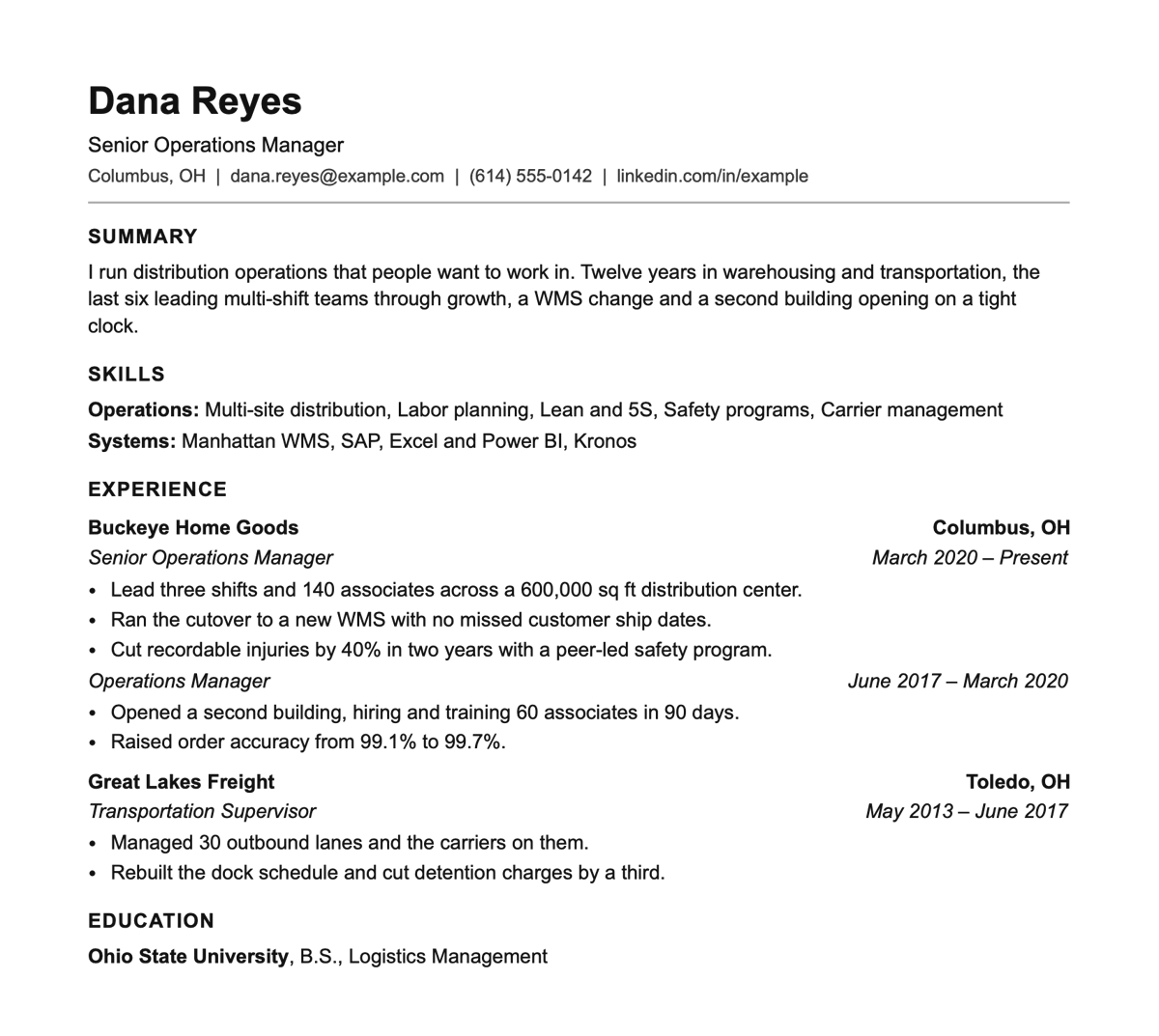
Writes a cover letter and resume for each one
Each one is written from scratch for that job, in your voice, using only numbers you've confirmed you can back up. The story in the letter comes from you, and it'll ask for one the first time it needs it. You get PDFs ready to send, plus Word copies if you want to change the font or fix a line yourself.
Keeps track of everything
Say “I applied to Acme” or “I heard back from Acme” and it updates your Application Tracker, a private page that shows where everything stands and what's gone quiet.

Helps you prep for interviews
Before an interview it writes a prep page you can read on your phone on the way there. Tell it who you're meeting and it looks them up.
- The whole thing in one minute, for when you only have a minute.
- Who you're meeting and what they'll care about.
- What the role really is, past the job posting.
- Which of your stories fit, and the questions you'll probably get.
- Good questions to ask back, and anything to watch out for.

Learns from you
Tell it a score is off or a sentence doesn't sound like you, and it writes that down and follows it from then on.

What you need
- A Mac or a Windows computer.
- The Claude desktop app on a Pro plan or higher. The skill runs in the app's Code tab, which isn't on the free plan.
- Room in your Claude usage. It shares limits with your regular chats, and setup and the first search use the most.
- About 15 minutes, plus your current resume as a PDF or Word file.
You don't need to know how to code, and you won't ever open a terminal.
Install
- Step 1Download and unzip
Get JobSearch.zip and move the JobSearch folder somewhere you'll keep it, like your home folder or Documents. Skip Downloads and synced folders like iCloud Drive, OneDrive or Dropbox.
- Step 2
 Open it in Claude
In the Claude app, go to the Code tab, open the JobSearch folder, and say yes when it asks if you trust the folder.
- Step 3Say “set me up”
Type it and press Enter. Claude takes it from there, including anything your computer needs installed.
What happens when you say “set me up”
Setup is eight short parts. Wherever it can, it drafts from your resume so you're fixing things instead of filling out forms. Any part can be skipped.
- Gets your computer ready. It downloads what its scripts need into the folder. No admin password, nothing installed anywhere else.
- Reads your resume. Drop in a PDF or Word file, or tell it where the file is. It shows back what it read so you can fix anything it got wrong.
- Asks what you want next. It drafts titles, level and locations from your resume for you to adjust, then asks your lowest acceptable pay and any dealbreakers.
- Checks your numbers. It lists every number on your resume and asks which ones you couldn’t back up in an interview.
- Learns how you write. Paste something you wrote, like an email or a post.
- LinkedIn, if you want. A browser window opens and you sign in yourself. Skip it and it still searches LinkedIn without signing in.
- Picks companies to watch. It suggests 15 to 20 that fit you. Drop any or add your own.
- Runs your first search. It scores the five best matches and walks you through them.
Close the app whenever you want. Next time you open the folder and say hi, it picks up where you left off.
Getting good results
Be honest about your numbers
During setup it goes through every number on your resume once. Flag anything you couldn't explain in an interview. It won't put an unconfirmed number in an application, and you'll be glad when someone asks about it.
Give it real stories
The cover letters are only as good as the stories behind them. When it asks about a time you led something, give it the version you'd tell a friend.
Correct it
If a score feels off or a letter doesn't sound like you, say so in plain words. That's how it gets better.
Sign in to LinkedIn yourself, or don't
It can search LinkedIn without you signing in. If you do sign in, you type your password into LinkedIn's own page, and Claude never sees it.
Check in whenever you want
Say “what's new?” as often as you like. I check a few times a day, and each search only shows you what's turned up since the last one.
Privacy
Your resume, your search, every application and every note stay in the JobSearch folder on your computer. There's no account to create and nothing gets sent to me. What leaves your computer is the job searches it runs and the pages it reads, plus your conversation with Claude, same as any other Claude chat.
It won't apply to a job, send a message or contact anyone for you. You do the applying. It makes sure you show up prepared.
Heads up on one thing. LinkedIn's terms don't allow automated searching. The skill keeps its LinkedIn searches slow and spaced out, and the worst I've seen is LinkedIn asking you to confirm it's you. If that worries you, skip the LinkedIn sign-in during setup.
When something goes wrong
It asks permission for something
Most of what it runs is approved ahead of time. If it asks about anything else, it's fine to say yes for this folder. If something looks strange, say no and ask Claude what it was trying to do.
A job it found is already closed
Some sites take a day or two to take a posting down. Say “that one's closed” and it'll mark it.
LinkedIn asks you to verify your account
Do what LinkedIn asks, then tell Claude “sign me in to LinkedIn again.”
You hit your Claude usage limit
Setup and the first search use the most. After that a normal check-in is light. Wait for the limit to reset and pick up where you left off.
Anything else
Tell Claude what happened in plain words, like “the search isn't working”. It checks itself and walks you through the fix. If it can't sort it out, open an issue on GitHub and I'll take a look.
FAQ
Does it cost anything besides my Claude plan?
Nope.
Will it work for jobs outside tech?
Yes. It's been tested on an operations and logistics search, and it reads the job systems a lot of big employers use. It does best when you give it a list of companies you'd like to work for.
Can it apply for me?
No, and it won't. Every application is yours to read and send.
Can it make things up?
It's built not to. A script blocks any number that isn't on your confirmed list, and it asks about possible gaps instead of assuming them. Read everything before you send it anyway.
Can I change how the resume looks?
Yes. Every resume and letter also comes as a Word file that opens in Word, Google Docs or Pages. Change the font in one place and it changes everywhere. Then save it as a PDF and send that. If you want to change what it says, ask Claude, so the next version keeps your edit.
How do I update it?
Say “update” in your JobSearch folder. It downloads the newest version and swaps it in, and your jobs, profile and applications stay put. When there's a new version, it lets you know, about once a week at most.
Is there a version that doesn't need Claude?
Not yet, but I'm building one! It's effectively a standalone version of this skill that doesn't require a download or a Claude account. If you're interested in beta testing, please reach out!
How do I stop using it?
Delete the JobSearch folder. Nothing was installed anywhere else.
Go get it
If you're looking right now, this is for you, whatever kind of job you're after. I built it for my own search for engineering leadership roles and tested it on an operations and logistics search, and it works the same way for both. Grab the zip, open it in Claude and say “set me up”.
If you get stuck, find a bug or land the job, I want to hear about it. Say hi at conway.justin@gmail.com.